
BlogTech support
What a tech support interview is really testing
Hiring managers aren't quizzing you on trivia. They want to see how you triage, diagnose, write to a customer and know when to escalate. Here is how to show it.
Paul E. & Paul A., Founders · Nov 2, 2026 · 4 min read

Most people walk into a tech support interview expecting a quiz. What is DNS? What does a 500 error mean? Those questions do come up, but they are rarely what decides the hire. A support lead has one real question in mind: if I hand this person a messy ticket at 9:15 on a Monday, what happens next?
That question breaks into four skills. If you can show each one, you will stand out from candidates who can only define terms.
- Triage: what is actually broken, and how urgent is it?
- Diagnosis: checks in a sensible order, causes ruled out
- Writing: a reply the customer can act on
- Escalation: knowing when it is not yours to fix
1. Triage: the priority on the ticket is a claim, not a fact
Customers raise everything as urgent. That is not dishonesty; from where they sit, it is urgent. Your job is to work out what is true. Is the business stopped, or is one report wrong? Is it one user or a whole office?
In an interview, when you are given a scenario, say this out loud. "The customer marked it P1. Before I accept that, I'd check how many users are affected and whether there is a workaround." That one sentence shows more judgement than any definition.
2. Diagnosis: the order of your checks is the answer
Two candidates can reach the same fix. The one who gets the job is the one whose path made sense. Start with what is cheap and likely, then move to what is expensive and rare. Say what each check would rule out.
A strong answer sounds like: "First I'd confirm whether it happens for everyone or just this account, because that splits the problem in half. Then I'd look at the logs around the time it started." A weak answer jumps straight to "I'd reinstall it."
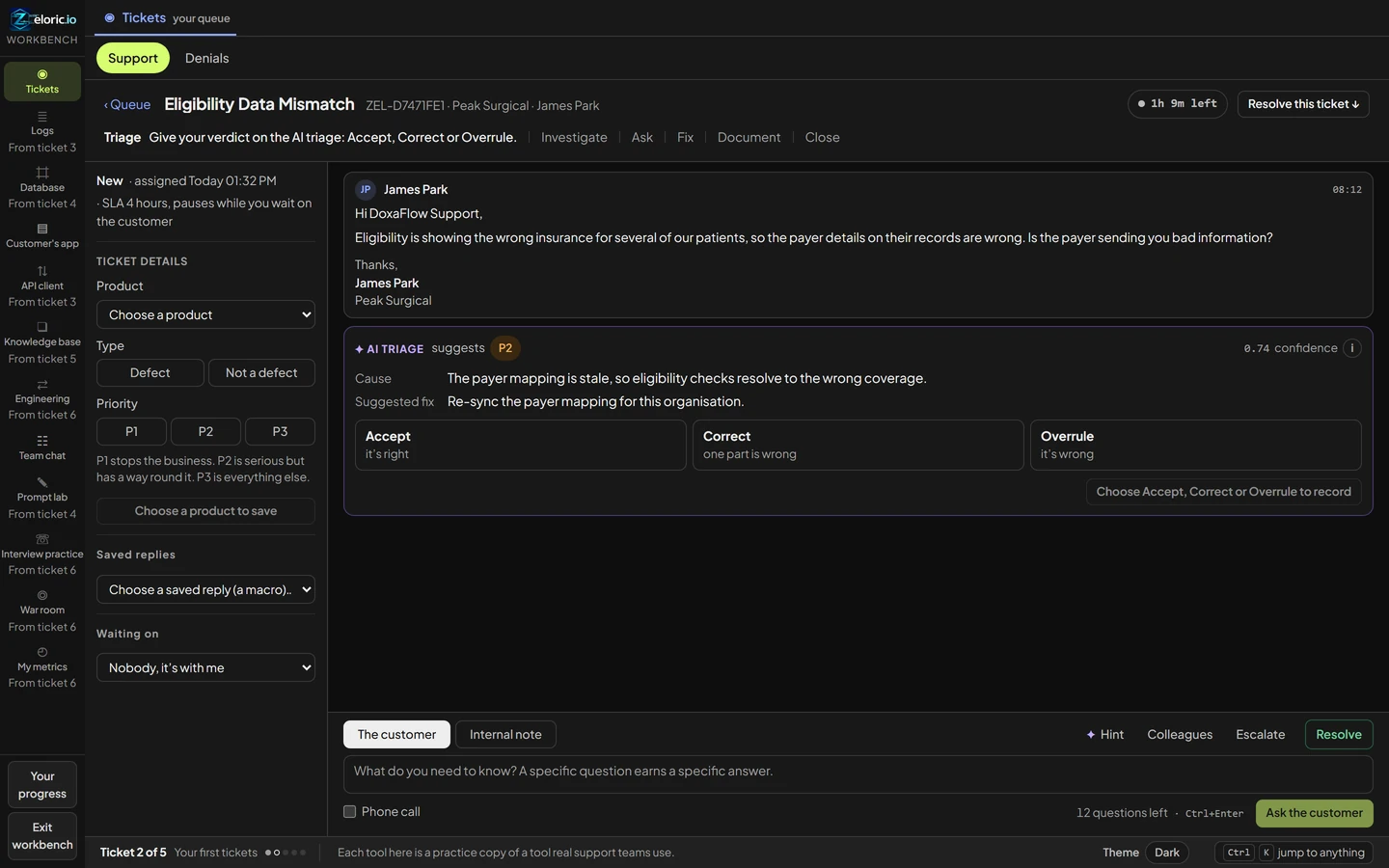
That screen matters more every year. Support teams now work beside AI tools that suggest answers. The skill employers want is not ignoring the AI, or trusting it blindly. It is checking it. If you can say "the suggested cause doesn't match the log timestamps, so I'd overrule it", you are describing exactly the job.
3. Writing: the customer reply is half the grade
A correct fix in a confusing reply still creates a second ticket. Good support writing does three things: it says what was wrong in plain words, what you did, and what the customer should do now (or until the fix lands).
Reads like a weak reply
- Apologizes three times before saying anything
- Pastes the internal error message
- Ends with "let us know if you need anything else"
Reads like a strong reply
- Names the problem in one plain sentence
- Says what was checked and what was changed
- Gives the customer one clear next step
If an interview includes a written exercise, treat it as the most important part. It is the part closest to the real job.
4. Escalation: knowing what is not yours
Junior candidates often think escalating looks like failure. Leads see it the other way. Escalating with evidence (what you checked, what you ruled out, what you think it is) saves an engineer an hour. Escalating with "it's broken, please look" wastes one.
Say in the interview when you would escalate, and what you would put in the note. That shows you understand how a support team actually works together.
How to show this without years of experience
The honest problem for career changers is that every skill above is learned on the job, and the job asks for experience. There are ways around that loop:
- Read worked tickets to see the full path, start to finish. Our worked Tech support ticket shows every step, including the checks that were ruled out.
- Know how the work is judged. Our guides go through each part, such as diagnostic quality and escalation judgement.
- Prepare for the questions you will be asked. See support interview questions and what a good answer covers.
- Do the work and keep the evidence. A graded record of real tickets gives an interviewer something to look at instead of a claim.
The U.S. Bureau of Labor Statistics keeps an up-to-date profile of the role, including what computer support specialists do day to day and how they get started. It is worth reading before any interview: Computer Support Specialists, Occupational Outlook Handbook.
Interviewers forget definitions by lunch. They remember the candidate who talked through a ticket like they had already done the job.
Sources and further reading
- U.S. Bureau of Labor Statistics, Computer Support Specialists, Occupational Outlook Handbook.
- Zeloric guides: support interview questions, diagnostic quality, escalation judgement.
- The Tech support desk on Zeloric.
#tech support #interviews #careers
Reading about the work is one thing. Doing it is how you show it. Your first ticket is free, with no account needed.
Try a realistic ticket free